
Tires Plus
Firestone Complete Auto Care (FCAC)Auto & Vehicles
4.7351.00 Reviews
- Version
- 7.2.1
- Installs
- 100.00K
- Age Rating
- Everyone
Screenshots
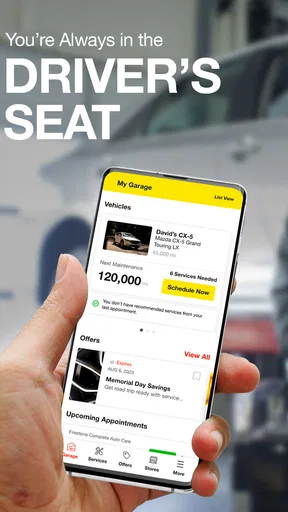
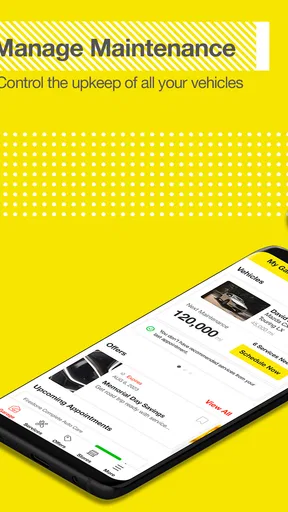

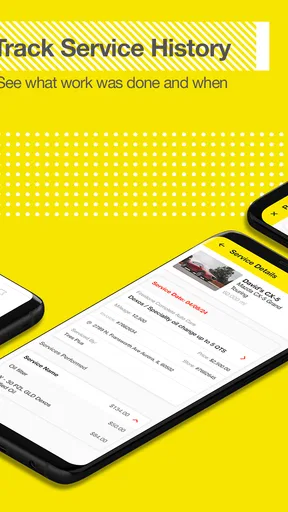
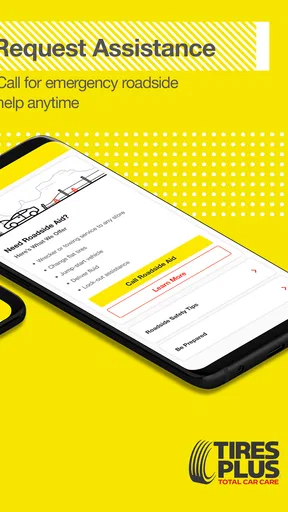
Our Review of Tires Plus
 Analysis by Appyee
When I think about a vehicle-care app, I do not want another dashboard full of vague reminders. I want something that helps me make a sensible tire decision before a small problem turns into a roadside interruption. That is the role I found in Tires Plus, an Android and iOS app from Firestone Complete Auto Care (FCAC) in the Auto & Vehicles category. Its main value is keeping tire care close to the moment when I actually need it: checking what my vehicle may require, preparing for service, and making a more informed choice about the next visit.
The store summary, “Stay in the Driver’s Seat,” fits the experience better than a feature-heavy slogan would. This is not an app I open for entertainment or constant browsing. I use it as a practical companion around tire maintenance. It is free, rated for Everyone, and has built a solid audience with a 4.7 average from around 3K ratings and over 100K installs. That combination suggests a focused tool rather than a sprawling automotive platform, and that focus is important when I am standing beside a car with a warning light on or trying to plan service around work.
Why the tire-focused capability matters
The most useful capability here is the way the app keeps tire-related decisions in one place instead of forcing me to piece them together from searches, paper receipts, and memory. Tires are easy to ignore because they usually do their job quietly. Yet tread wear, pressure changes, seasonal conditions, and an aging set can affect comfort, handling, and safety long before a tire visibly fails. The app gives that routine subject a more deliberate place in my vehicle-care habits.
That sounds simple, but the practical effect is larger than it first appears. When I use a general map app, I can find a service location, but I still need to work out what kind of visit I need. When I use a vehicle manual, I may find specifications, but I do not get the same service-oriented path. Tires Plus sits between those two approaches: it helps turn a vague concern such as “the car feels different” into a clearer next step involving tire care.
I also like that the app is connected to a recognizable tire-service provider rather than pretending to be a universal mechanic. The developer is Firestone Complete Auto Care (FCAC), so the experience is naturally most useful when I am considering Tires Plus service. That is both its strength and its boundary. I get a more direct route into this particular service ecosystem, but I should not expect an independent comparison marketplace covering every tire shop or every brand with equal depth.
The real benefit is decision control, not simply digital convenience. The app can help me pause before accepting the first recommendation I hear at a counter. I can arrive with a clearer idea of what I want to ask, what information I need to provide, and whether the issue sounds like routine maintenance or something that deserves immediate attention.
What using it feels like before a service visit
In practice, I treat the app as a preparation tool. I open it before contacting a service center, when I am checking whether my tires need attention, or when I want to organize the next maintenance step. That timing matters. An automotive app is most useful before I am rushed, not while I am already waiting in a parking lot with a flat tire.
The workflow is easier when I start with a specific question. Am I looking for replacement tires? Am I trying to understand where to go? Am I preparing for a routine inspection? Beginning with that question prevents the app from becoming another place where I scroll without making a decision. I use the information it presents to narrow the visit I need, then confirm the details directly with the service location when the situation is unusual.
One of my favorite habits is to use it alongside a quick physical check. I look at the tires for obvious damage, compare their appearance, and pay attention to changes in steering or ride quality. The app does not replace that basic awareness, and no app should encourage me to ignore a tire that is visibly damaged. Instead, it gives the observation a practical follow-through: identify the concern, prepare the relevant vehicle details, and arrange professional help rather than postponing the issue.
This also makes the app useful for drivers who are not confident with automotive vocabulary. I do not need to arrive sounding like a technician. I can describe the symptom I noticed and use the app to frame the service conversation. That reduces one common source of friction: feeling pressured to make a technical decision without understanding what is being discussed.
A realistic weekday example
Imagine noticing that one tire looks lower than the others on a cold morning. I would first avoid treating the app as a substitute for checking pressure with a proper gauge. If the tire is badly deflated, damaged, or losing air quickly, safety comes before browsing. But if the situation appears stable enough to plan a visit, I can use Tires Plus to organize the next step instead of waiting until the weekend and hoping the problem disappears.
Before leaving for work, I would note the vehicle model, the tire position, and any warning signs. During a break, I could use the app to prepare for service and identify the Tires Plus route that makes sense for me. Later, I would arrive ready to explain that the concern is not simply “I need tires,” but “this tire appeared low and I want it checked for the cause.” That distinction can lead to a better conversation because a slow leak, uneven wear, and an ordinary pressure change are not the same problem.
The app’s value in that scenario is not that it magically diagnoses the tire. Its value is that it helps me move from uncertainty to an organized request. I still need a technician for inspection, and I still need to use judgment if the vehicle feels unsafe. That division of responsibility is healthy: the app handles preparation and service navigation, while physical diagnosis remains a professional task.
Small habits that make it more useful
I get more from the app when I use it before there is an emergency. A quick check while the car is operating normally gives me time to think about budget, timing, and location. Waiting until a tire is completely worn removes those choices and can make any service app feel disappointing, simply because the situation has become urgent.
Another useful habit is separating tire replacement from tire troubleshooting. If I am planning replacement because of wear, I can approach the app as a purchasing and service-planning aid. If I am dealing with vibration, pulling, repeated pressure loss, or visible damage, I approach it as a way to arrange inspection. That distinction keeps me from assuming that a new tire is automatically the answer to every tire-related symptom.
I also keep the app in a supporting role when comparing options. I may use it to understand the Tires Plus path, then compare the recommendation with the vehicle manufacturer’s guidance and with another reputable service provider if the job is expensive. That is not a criticism of the app; it is sensible ownership. A focused provider app is strongest for its own service workflow, while broader research may be better elsewhere.
Where the focused approach helps most
Compared with using only a search engine, the app feels more purposeful. A search can produce a long list of shops, articles, and opinions, but it usually leaves me to decide what applies to my vehicle. Tires Plus is more direct when I already want to explore Tires Plus service. I spend less time filtering unrelated results and more time preparing for a concrete action.
Compared with a general vehicle-maintenance tracker, the advantage is specialization. A broad tracker may be better for recording oil changes, registration tasks, fuel use, and every service interval in one timeline. Tires Plus is not the tool I would choose as my entire ownership record. I would choose it when the immediate question is specifically about tires and the service path connected to this provider.
Compared with calling a shop immediately, the app gives me a little more control over the first step. I can gather my thoughts and avoid forgetting the symptom that prompted the visit. Calling still wins when I have an unusual vehicle, a serious safety concern, or a question that requires a human answer right away. The app and the phone are not rivals in that situation; the app can help me make the call more useful.
The trade-offs I noticed
The focused design also creates limitations. If I want a neutral, side-by-side comparison of every local tire retailer, this is not the natural starting point. Its connection to Tires Plus makes the experience relevant for that network, but it also means I should not treat it as a complete survey of the market. Drivers who always shop across several providers may prefer a broader research method before committing.
There is also a difference between arranging care and understanding the mechanical cause of a problem. The app can support the first task, but I would not rely on it alone for a diagnosis involving steering, suspension, alignment, braking, or a tire that has suffered impact damage. Those issues can overlap, and a clean-looking tire does not guarantee that the vehicle is safe to drive. If the car is behaving dangerously, professional assistance matters more than any app workflow.
Another trade-off is that the app rewards users who already know what they want to accomplish. A confident driver can move through a focused service journey quickly. A first-time car owner may still need to learn basic terms and gather vehicle information before the app feels genuinely helpful. I would recommend pairing it with the owner’s manual and a trusted technician rather than expecting one app to teach every part of vehicle care.
Phone-based planning can also be less convenient when I am in a hurry. Entering details on a small screen, switching between the app and other information, or trying to make a decision while traveling is not ideal. I prefer to use it while parked and with enough time to read carefully. That is a minor habit, but it makes the experience safer and less frustrating.
Who will gain the most from it
This app makes the most sense for drivers who want a straightforward tire-service connection and prefer preparing digitally before visiting a location. It is especially useful for people who do not enjoy automotive errands, because it gives the task a clearer beginning. Instead of wondering whom to contact and what to say, I can start by organizing the tire concern and deciding whether I am planning maintenance or requesting an inspection.
It can also help households that share a car. When one person notices a problem and another handles the appointment, a focused app can reduce the chance that the original symptom gets lost in a text message or casual conversation. I would still pass along the actual observations—when the issue appeared, whether the pressure changed, and whether the vehicle felt different—because those details remain more important than simply naming a service category.
New drivers may appreciate the confidence it provides, but they should use it as a guide rather than an authority on every mechanical question. Experienced drivers may find it faster, particularly when they already know the service they want. For fleet managers or people responsible for many vehicles, a dedicated fleet-maintenance system would probably be a better fit because the needs are broader than one tire-service workflow.
I would skip it as my primary automotive app if I want one place for comprehensive service history, fuel tracking, repair records, and reminders across multiple providers. I would also look elsewhere first if my main goal is independent tire-price comparison. In those cases, Tires Plus can still be useful for checking its own service route, but it should not be the only tool shaping the decision.
Device details and everyday practicality
Tires Plus is free, which removes the usual hesitation about trying a provider-specific tool. It is currently listed as version 7.2.1 and requires operating system version 10 or later. That requirement is worth checking before planning around it, particularly if the app is intended for an older phone kept in a vehicle. On a supported device, the practical question is less about cost and more about whether the Tires Plus connection matches the way I maintain my car.
The Everyone content rating makes it suitable for a broad audience, including a household where different family members may help manage vehicle care. The app was released on July 24, 2012, so it is not a brand-new experiment; it has had time to establish its place as a tire-focused service app. Its audience size—over 100K installs—also feels consistent with a specialized automotive tool rather than a general-purpose navigation product.
My overall impression is positive because the app understands a useful boundary. It does not need to become a full mechanic, a universal marketplace, and a complete ownership log to be worthwhile. Its best contribution is helping me take a tire concern seriously and turn it into an organized service step. I still need common sense, the vehicle manual, and a qualified inspection when the problem is technical or urgent.
After using it, I would recommend Tires Plus to a driver who is comfortable receiving a focused Tires Plus service experience and wants less friction before a tire-related visit. I would not recommend treating it as a substitute for independent research or professional diagnosis. Used at the right moment—parked, prepared, and before a minor concern becomes an emergency—it does what I want from a focused Auto & Vehicles app: it helps me stay involved in the decision without pretending to replace the people who work on the car.
Verdict
Strengths of Tires Plus
- Convenient way to locate nearby Tires Plus service centers.
- Lets users request appointments without calling a store.
- Store details can help compare hours, services, and contact options.
- Useful for planning tire maintenance while away from home.
- Simple interface makes basic service information easy to find.
Limitations of Tires Plus
- Availability of app features may vary by location.
- Appointment requests may still require confirmation from the store.
- Some services and prices may not be listed in the app.
- Requires location access for the most convenient store search.
- The app offers limited value if there is no nearby Tires Plus center.
Other Releases by Firestone Complete Auto Care (FCAC)
View All
My Firestone
Auto & Vehicles4.7
Similar Picks in This Category
View All
Android Auto
Google LLC4.1

maxim — order a taxi & food
PT. SITO4.7

Штрафы ГИБДД: проверка с фото
Pays LLC – Штрафы ГИБДД4.7

Номерограм – проверка авто
Авто Ассист4.8

Дром Авто
Дром4.9

Frequently Asked Questions
What is the Tires Plus app used for?
The Tires Plus app is designed to help customers manage tire and automotive service needs from a mobile device. Depending on the available features in your location, you can browse tires, compare service options, locate nearby Tires Plus stores, request appointments, and find contact or store information. It is mainly useful for planning maintenance and connecting with a participating service center.
Can I schedule a tire or vehicle service appointment through Tires Plus?
Yes, the app can help you begin the appointment process for services such as tire installation, rotation, balancing, inspections, oil changes, and other automotive maintenance. You generally select a nearby store, choose the required service, and provide preferred dates or times. Availability, appointment types, and confirmation methods may vary by store, vehicle, and location.
Does Tires Plus help me choose the right tires for my vehicle?
Tires Plus can make tire shopping easier by allowing you to search according to vehicle details, tire size, or other fitment information. The app or connected shopping experience may display compatible tire models, prices, and service options. However, you should verify the vehicle information carefully and ask a technician to confirm fitment before purchasing or installing tires.
Can I find my nearest Tires Plus location and check store services?
The app can use your location or a manually entered ZIP code to help identify nearby Tires Plus stores. Store listings may include addresses, opening hours, phone numbers, directions, and available services. Because hours and service availability can change, it is sensible to review the store details and contact the location directly before making a special trip.
Is the Tires Plus app free, and what information does it require?
Downloading and using the Tires Plus app is generally free, although any tires, repairs, maintenance, installation, or other services arranged through it will have their own costs. Some features may request information such as your location, vehicle details, contact information, or appointment preferences. Review the app’s privacy policy and permission requests before continuing, especially if you prefer limited data sharing.
